Have you ever come across a message about your website’s PHP version on your WordPress Dashboard and thought… what on earth is that? — you’re not alone.
Did you know that:
👉 It’s one of the most important parts of your website.
And if it’s not up to date, it can cause problems behind the scenes.
It’s the code that runs on your server and builds your website pages.
Every time someone visits your website, PHP is working in the background to:
Pull your content from the database
Run WordPress and your plugins
Process forms and user actions
Generate the page your visitor sees
All in a fraction of a second.
What Does PHP Stand For?
PHP originally stood for “Personal Home Page”.
These days, it’s officially known as a recursive acronym: 👉 “PHP: Hypertext Preprocessor”
(Yes… slightly confusing—but don’t worry, the name matters far less than what it actually does!)
It’s Essential for WordPress Websites
If your website is built on WordPress (like most of the sites I work on), PHP is absolutely essential.
It’s what allows your site to be dynamic, meaning you can:
Update your content easily
Add blog posts
Receive enquiries
Sell products
Manage memberships
Without PHP, your website simply wouldn’t function.
What Happens if PHP is Outdated?
This is where things can start to go wrong…
If your site is running an outdated version:
❌ It becomes less secure
❌ It can slow down
❌ Plugins and themes may stop working properly
❌ You increase the risk of errors or even site crashes
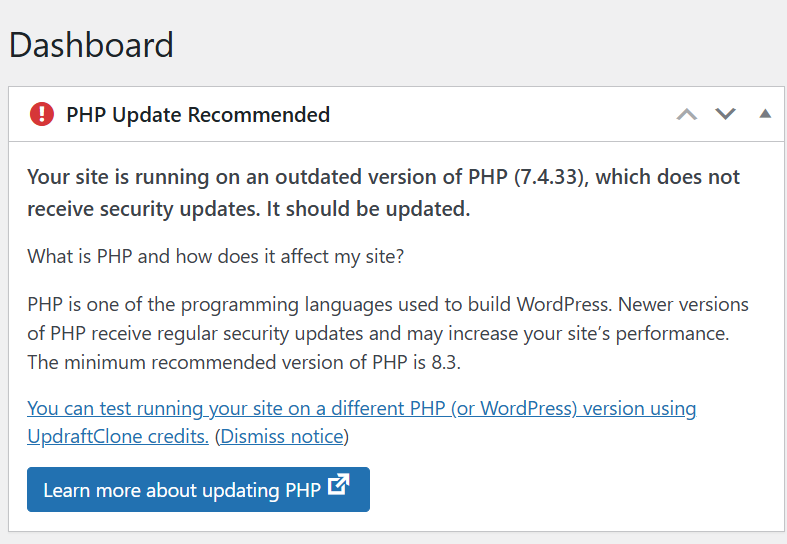
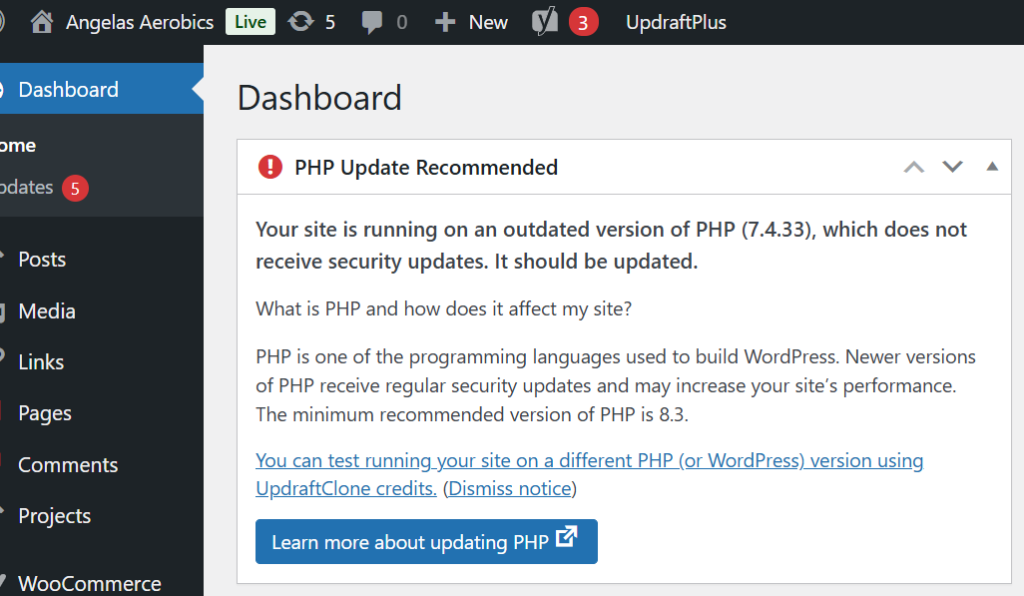
Many older websites are still running PHP 7.4, which is now end-of-life—meaning it no longer receives security updates.
Why Keeping PHP Updated Matters
Updating PHP is one of the simplest ways to improve your website’s:
✔ Speed
✔ Security
✔ Stability
✔ Compatibility with modern plugins
It’s not something your visitors will ever see… but it has a big impact on how your website performs.
A Real Example (From a Recent Client Migration)
When I recently migrated a client website for Angela’s Aerobics, the site was running on an outdated PHP version.
On the surface, everything looked fine…
But behind the scenes, it meant:
Increased security risk
Reduced performance
Potential compatibility issues
As part of the migration, I upgraded the site to PHP 8.4—bringing it up to date and ensuring it runs smoothly going forward.
What Version Should You Be Using?
Right now, the recommended version for most live websites is:
👉 PHP 8.4
It offers the best balance of:
Stability
Performance
Compatibility
How to Check Your PHP Version
If you’re curious, you can usually check your PHP version in:
Your hosting control panel
Your WordPress dashboard (Tools → Site Health)
If you’re unsure, it’s always worth asking your web designer or hosting provider.
Final Thoughts
PHP might not be something you think about…
But it plays a crucial role in keeping your website running properly.
Keeping it updated is one of those small, behind-the-scenes tasks that makes a big difference to your website’s health.
Need Help Checking Yours?
If you’re not sure what version your website is running—or you’ve seen warnings and don’t know what to do next—
👉 Get in touch and I’ll happily take a look for you.
If you’re wondering about choosing WordPress or Wix for your new website, you’re not alone — it’s one of the most commonly asked questions I get asked as a web designer. The choice between WordPress and Wix depends on your goals, your confidence with tech, and how much control you want over your website. Both platforms have their place — but they serve slightly different types of business owners.
WordPress – Flexible, Scalable, and Built to Grow
Best for: Businesses serious about growth and SEO
Flexibility & Customisation With WordPress, you can build pretty much anything — from brochure sites to full membership platforms.
Full Ownership You own your website, your data, and your hosting. That control is a big deal long-term.
Plugins & SEO Power Tools like Yoast SEO, WooCommerce, and membership plugins give you huge capability.
Scalability Your site can grow with your business — without needing to rebuild from scratch.
Learning Curve There’s more to learn, especially around hosting and updates.
Maintenance You (or your web designer) need to manage updates, security, and backups.
Wix – Simple, Stylish, and Straightforward
Best for: Beginners who want something quick and easy
Ease of Use Wix is incredibly user-friendly. Its drag-and-drop builder makes it easy to create a website without any technical knowledge.
Design There are hundreds of professionally designed templates that help you get a polished website live quickly.
Maintenance Everything is handled for you — hosting, security, updates. It’s very much a “hands-off” experience.
Built-in Features Wix has an all-in-one ecosystem with apps and tools ready to go.
Limitations The trade-off? Flexibility. As your business grows, you may find Wix restrictive when it comes to customisation and advanced functionality.
So… Which One Should You Choose?
If you want something quick, simple, and low-maintenance → Wix is a great starting point.
If you’re building a business and want long-term flexibility, better SEO control, and room to grow → WordPress is the stronger option.
If you’re still not sure which platform is right for you — or you’d love to learn how to build and manage your website properly — that’s exactly why I created the JR Digital Academy.
Inside, I’ll guide you through a step-by-step process, so you can feel confident making the right decisions for your business and actually take control of your website (without the fear).