There’s nothing worse than having a lovely new website… and then feeling scared to touch it. My aim is always to hand over a site that clients can actually use, manage, and grow themselves.
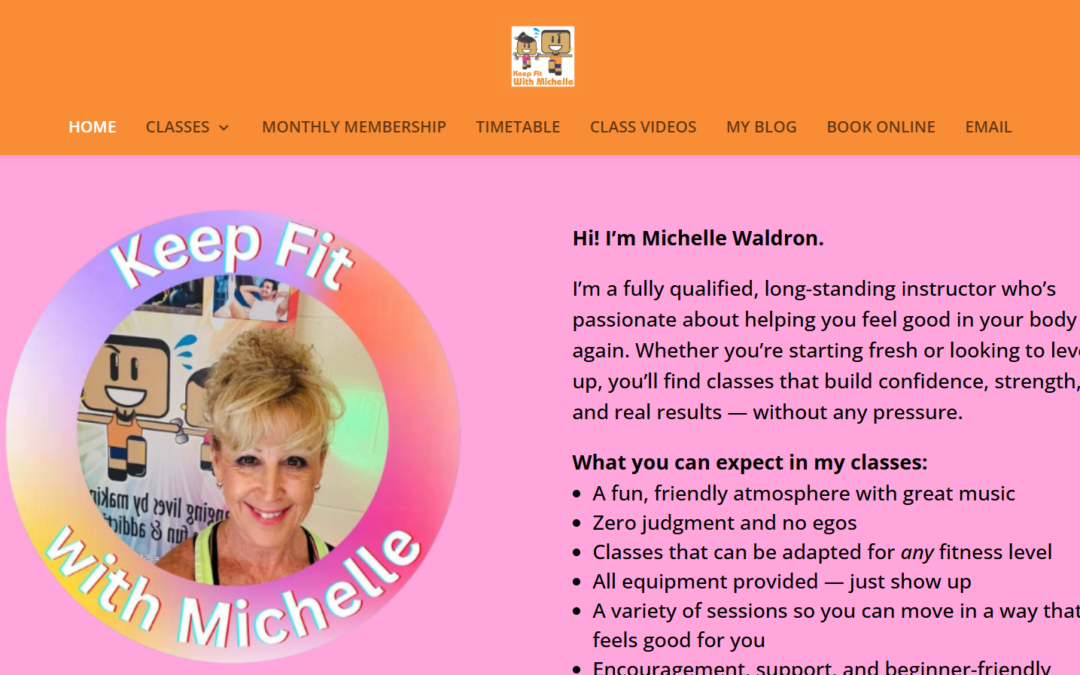
Michelle came to us with a website that had served her business for nearly 20 years. It had done its job well, but it was starting to look dated, wasn’t mobile-friendly, and was tricky for her to update. She wanted something fresh and modern — but still familiar to her long-standing clients.
We rebuilt the site on WordPress, keeping the structure people recognised while giving it a clean, mobile-friendly design. Using her existing logo, I created a bright, energetic colour palette and built the look of the site around her brand.
Her six class types are now clearly organised in a simple menu, making it easy for visitors to find what they need. We also added:
Links to her Trustpilot reviews
A direct link to view her Google reviews
A Google Map showing class locations
A brand new Blog so she can share updates and fitness tips
We also carried out foundational SEO work on the homepage — setting page titles, descriptions, and key local search terms — so the site has a strong starting point for being found on Google.
And of course, once the site launched, Michelle received her training.
She now has:
Recorded videos showing how to update text and photos
A walkthrough on creating blog posts
A one-hour training session to build confidence using the site
The result is a modern, easy-to-use website that Michelle can update herself whenever her timetable or classes change .
That’s our goal:
A website that looks great, works hard for your business, and that you feel confident managing.
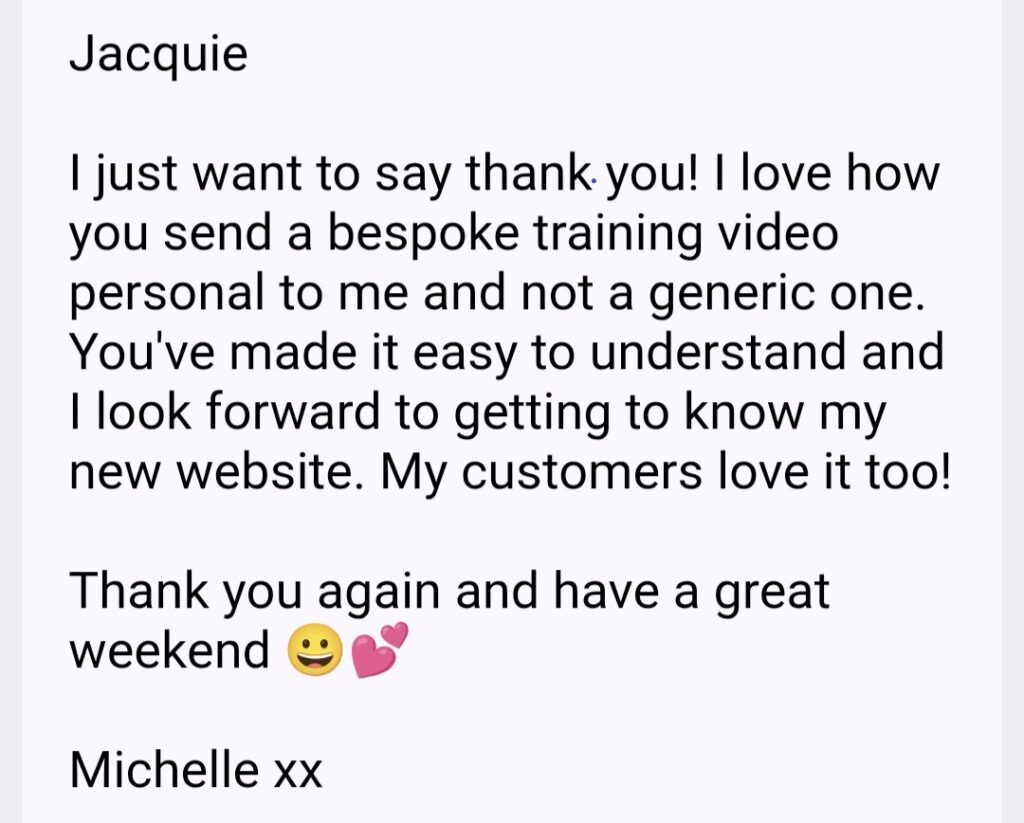
“Great service and communication from Jacquie in creating my new website. I am absolutely delighted with it. Highly recommended.”
It’s so easy to grab a picture online and pop it onto your website. But recently one of my clients received a copyright claim for using an image that wasn’t properly licensed.
Copyright compliance is serious business. Companies like Immediate Mediaand Image Professionalsactively monitor websites to catch unlicensed image use. Even if the image was added by a designer, a template, or a blog contributor — you (the website owner) are the one legally responsible.
Here’s how to stay safe:
✅ Only use properly licensed images — from trusted sources such as Canva, Shutterstock, iStock, Pexels, or your own photography. ✅ Double-check “free” sites — not all free image libraries allow commercial use. Always read the licence terms. ✅ Keep proof of your licences — save receipts, invoices, or screenshots of where the image was sourced. ✅ Avoid Google Images entirely — it’s not a stock library, even if it looks like one! ✅ Limit image file size — for website performance, never upload images larger than 1MB. Large images slow down your site and can even affect Google rankings. Compress images before uploading while keeping them sharp and clear. ✅ If you’re unsure — ask me. I can help you check whether your site’s images are compliant.
A quick tip…
If you had your website built years ago or you’ve added images over time, it’s worth doing a quick audit now. Removing or replacing unlicensed images could save you hundreds of pounds later.
Need help?…
If you’d like me to review your site’s image use or show you where to find safe, high-quality visuals, just reply to this email. It’s an easy fix that can prevent a costly headache.
Download our FREE Guide on how to correctly format your images for your website.
From large banners to small thumbnails, using the correct dimensions and formats will avoid blurry images, slow load times, messy layouts and an overloaded website and server! Once you’ve selected your images for your website you need this guide.
When was the last time you wrote a blog for your website?
Blogging always starts with good intentions. You write a few posts, life gets busy, and before you know it, months (or years!) have flown by.
But here’s the thing: when you stop blogging, Google stops paying attention!
Search engines — and even AI platforms like ChatGPT — rely on fresh, structured, and trustworthy content to decide which websites to show (and even quote). Every blog post you publish is like waving a little flag saying, “Hey Google, I’m still here, and I know my stuff!”
Here’s the bottom line: when you stop publishing, you stop sending those signals — and your website’s visibility can slowly fade.
Some facts you should know…
These up‑to‑date stats for 2025 help explain why blogging matters (and why “just having a blog” isn’t enough — you’ve got to treat it strategically):
Roughly 82% of bloggers report at least “some results” from blogging — and 26% claim “strong results”. Backlinko
Blog readership is still strong: about 83% of internet users read blog posts. Master Blogging+1
On the flip side: about 96.55% of pages get zero traffic from Google (only ~0.07% get over 1,000 visits monthly). Crazy Egg
Blogging still ranks highly in marketing strategy: ~72% of marketers say content creation (including blogging) is their top SEO tactic. Master Blogging
If your blog hasn’t been getting results, don’t scrap it — restructure it.
Focus on topics your audience actually searches for (keywords*).Update and repost older posts with new stats, insights, or visuals.Break big articles into smaller, digestible posts, or merge smaller ones into value-packed posts.Optimize each post for SEO: titles, meta descriptions, internal links, and readability.Add multimedia (images, video, or audio) — content with visuals performs better.Set a realistic publishing rhythm: even once a week keeps you in the game.
*Keywords are the words and phrases people type into Google when looking for something. For example, if you sell handmade candles, customers might search for “scented soy candles” or “best candles for gifts”. Using these keywords in your blog posts helps Google understand what your content is about — so the right people can find you.
Keep showing up — your website will thank you for it.
I can help review your blog and suggest ways to refresh it so it starts delivering results again.
Get in touch today to get your Blog working for you.
Download our free guide on how to write your first Blog.
Whether you’re a business owner, creative, or hobbyist, this guide will walk you through how to create and publish your very first blog post—without the tech overwhelm!
When it comes to Blogging, most people focus on writing the content — but how you organise that content is just as important. Categories and Tags might seem like small details, but they play a huge role in how your readers (and search engines like Google) understand your site.
Let’s break it down…
What Are Categories?
Think of categories as the “chapters” of your website. They’re broad topics that group your content together. For example, if you run a wellness business, your categories might be: * Nutrition * Fitness * Mindset This makes it easy for visitors to navigate and instantly find the content that interests them.
What Are Tags?
Tags are more specific — they’re the “keywords” or “index words” of your posts. If categories are the chapters, tags are like the index at the back of a book. For example, under the category Fitness, you might use tags like: * Yoga * Strength training * Low-impact workouts Tags help search engines understand the finer details of your post and connect your blog to related content.
Why You Should Never Use “Uncategorized”
Leaving your posts marked as “Uncategorized” is like having a messy office where nothing is filed. It looks unprofessional, confuses readers, and signals to Google that your content hasn’t been organised properly.
Tip: Rename the default WordPress “Uncategorized” category to something meaningful — like “General Tips” — so you never accidentally publish without categorising.
The SEO Benefits of Categories and Tags
Better indexing: Search engines use categories and tags to crawl and understand your website. More opportunities to rank: When people search for specific terms, your tags and categories give Google more context. Improved user experience: Readers stay longer on your site when they can easily click through related posts.
MY TIPS FOR SUCCESS * Keep it simple – Don’t create too many categories; 4–6 main ones is plenty. * Be consistent – Always assign at least one category and 2–4 tags per post. * Think keywords – Use words your audience is likely to search for. * Avoid duplicates – Don’t make “Fitness” both a category and a tag — choose one. * Review regularly – Check your categories and tags every few months to keep things tidy.
How to Start Selling Digital Products From Your Website (Even If You’re Not Techy!)
Have you ever had an idea for a downloadable guide, checklist, ebook or mini course… but just weren’t sure how to actually sell it?
Digital products are one of the easiest ways to add a passive income stream to your business. They’re simple, scalable, and once they’re set up — they can make you money while you sleep (literally!).
I know that the tech side can feel like a hurdle.
Where do you even start? How do you take payments? What’s the best platform?
The list goes on…
Make Way For My Brand New Course!
Start Selling Digital Products From Your Website (and Save Over £120 Doing It Yourself!)
This course has been created for small business owners, freelancers, and creatives who want to take control of their online shop — without the tech overwhelm!
Why digital products are a no-brainer:
You create it once, and sell it again and again
No stock, no shipping, no hassle
Ideal for coaches, fitness pros, educators, designers, service-based businesses and more
You can start small — think checklists, templates, or mini guides
They’re a brilliant way to share your knowledge and grow your income
In this course, I’m giving you the exact steps I take with my 1:1 clients — for a fraction of the cost.
Save money – No web designer needed
Learn at your pace – Clear, jargon-free videos
Keep full control – Make changes and add new products anytime
Use your existing WordPress site – No monthly platform fees
Here’s What You’ll Learn
How to install and set up the SureCart eCommerce plugin
How to create and list digital products
How to connect your store to payments (Stripe etc.)
How to style your store to match your brand
Plus bonus tips on digital delivery and automation!
Join my waitlist today to be the first to know when the course goes live — and grab your Early Bird* discount for just £57! (The course will launch at £67, so you’ll save £10 by getting in early!)
If you’re a small business owner or entrepreneur trying to get your website up and running, I know how overwhelming it can feel. There’s so much to think about—from layout and branding to lead magnets and SEO—and Googling every step can be a total time suck.
That’s exactly why I’ve put together a collection of free downloadable guides, created to help you cut through the confusion and start building a site you’re proud to share.
What You’ll Find in the Freebies Section: Here’s a sneak peek at what’s inside:
Website Starter Toolkit – Know what you need before you build
✅ How To Brief Your Web Designer
✅ How To Create Your First Blog
✅ How To Password Protect A Page
Who These Are For: These free tools are perfect for you if: ✔ You’re DIY-ing your website ✔ You want to refresh your current site ✔ You’re not sure where to start ✔ You like a no-fluff, practical approach
Why I Made These Guides: I’ve worked with so many small biz owners over the years who felt lost when it came to getting online. These guides are my way of giving you a leg-up—so you can feel empowered, not overwhelmed.